Why Not Results – Podcast Studio in Phoenix

In-Studio Podcast Recording

Professional In-Studio Podcast Recording in Phoenix for Businesses and Creators

In-studio podcast recording gives businesses and creators a simple way to produce professional content without building a full setup at home or in the office. At Why Not Results in Phoenix, we help clients record podcasts with reliable audio, video, lighting, and a repeatable production workflow so each episode is easier to publish, clip, and repurpose.

Podcast Studio Phoenix

Quick Answer (60 seconds)

If you want a faster way to launch or improve your show, in-studio podcast recording helps you skip the technical setup and focus on the conversation. A professional studio makes it easier to record with consistent audio, video, lighting, and camera framing. It also gives you a smoother workflow for editing, clipping short segments, and turning one recording session into multiple pieces of content.

For most businesses, the best approach is to start with a simple format, answer real customer questions, and publish consistently. Once your workflow is stable, you can add more advanced production, guest interviews, livestreaming, and multi-platform distribution.


About the team: This page was reviewed by the Why Not Results editorial team and reflects our podcast production and content strategy experience in Phoenix.

Why Choose In-Studio Podcast Recording in Phoenix?

Businesses choose in-studio podcast recording in Phoenix when they want better production quality, fewer technical problems, and a repeatable content system. Recording in a professional studio can help you:

  • Save time on setup and troubleshooting
  • Get more consistent audio and video quality
  • Record interviews, solo episodes, or panel conversations more efficiently
  • Turn each episode into clips for social media, YouTube, blogs, and search visibility
  • Build a content library that supports trust, authority, and lead generation over time

If your goal is consistent publishing without managing every camera, microphone, and lighting detail yourself, a studio workflow is usually the fastest path.

Definitions / Basics

Here are the key terms and ideas discussed, in plain English:

  • In-studio podcast recording: Recording your show in a controlled environment where production (audio, cameras, lighting) is managed consistently.
  • On-location production: Capturing footage in the field, often used for events, b-roll, and real-world storytelling.
  • Live streaming: Broadcasting in real time. Authentic and interactive, but it requires more coordination and technical confidence.
  • Segments: Planned topic blocks inside an episode that can be clipped, titled, and distributed as searchable content.
  • Planning “skeleton”: A simple outline that keeps the conversation on track without sounding overly scripted.
  • Digital currency (content backlog): The long-term value of having a library of content that can be clipped, reused, and found via search.

Helpful internal references:

When to Use Each Option

Different production styles fit different goals and comfort levels.

Decision Guide

  • Choose in-studio podcast recording when you want consistency, strong audio, and a repeatable workflow.
  • Choose on-location recording when the story requires real environments, events, or behind-the-scenes footage.
  • Choose live streaming when real-time interaction matters and you have the bandwidth to handle more moving parts.

What works well together

  • Studio episodes build a dependable library of content.
  • Short segments from studio episodes become clips for social.
  • Live streams can be added later once the “baseline workflow” is stable.

Budget and Timeline Expectations

Budgets and timelines depend on how much you want handled for you and how often you plan to publish.

Budget considerations (non-promissory)

  • Studio recording can reduce “hidden costs” like buying gear, troubleshooting, and learning production from scratch.
  • If you rely on stock assets or minimal prep, you may move faster, but performance and polish can vary.
  • The more you want done end-to-end (setup, filming, editing, clips, distribution), the more you should plan for ongoing production support.

Timeline expectations

  • Most shows improve through repetition: the first episodes are about comfort and consistency.
  • Segmenting and clipping gets easier once you establish a repeatable structure and topics you want to own.

Implementation Steps

Use this checklist to launch an in-studio podcast recording workflow with minimal friction.
  • Pick the show purpose: credibility, education, audience building, client acquisition, or community spotlight.
  • Choose your format: solo, co-hosted, interview, or panel.
  • Define your “skeleton” outline: intro, 3–5 talking points, and a close.
  • Plan segments intentionally: each segment should answer one searchable question or theme.
  • Assign roles: host, producer, camera/audio, and post-production editing workflow.
  • Record in batches when possible: build a backlog so publishing stays consistent.
  • Clip and distribute: cut segments into short clips with clear titles and consistent branding.
  • Iterate each month: adjust structure, lighting, camera comfort, and segment types based on what feels natural and what people engage with.

Common Mistakes

  • Waiting for perfect conditions: delaying because the setup is not “ideal” instead of publishing version one.
  • No structure at all: free-flow can work, but without a skeleton it becomes harder to clip, title, and distribute.
  • Too scripted: overly rehearsed content can feel less human and less engaging.
  • Skipping segments: without segments, editing and distribution becomes harder because the episode has no clear “chapters.”
  • Underestimating live complexity: live streaming adds moving parts, which can overwhelm you if you do not have a process.
  • Trying to do everything solo: production is a lot; teams reduce friction and help you stay consistent.

Tools and Templates

  • Segment 1: What we’re covering today (1–2 minutes)
  • Segment 2: The main lesson (one clear point)
  • Segment 3: Common pitfalls and how to avoid them
  • Segment 4: Practical next step a listener can try this week
  • Close: recap + where to follow/subscribe

Segment Naming Template

  • “How to ______ without ______”
  • “What to do before you ______”
  • “The biggest mistake with ______”
  • “Studio vs live: which is better for ______”

What’s Included in Our Podcast Studio Workflow

A typical in-studio podcast recording session may include:

  • Studio setup with cameras, microphones, and lighting
  • Recording support for solo, interview, or multi-person episodes
  • Guidance on episode structure and talking points
  • Clean audio and video capture
  • Editing for a polished final episode
  • Short-form clips for social media and content repurposing
  • Support for publishing or distributing your content

Every business has different content goals, so the exact workflow can be adjusted based on your format, frequency, and distribution plan.

FAQs

In-studio podcast recording is producing your show in a controlled environment with consistent audio, lighting, and camera setup. It is best for business owners and creators who want reliable quality without building a full production system at home. It also helps if you want repeatable recordings that can be clipped and distributed.

You can do either, but a simple outline usually helps. A “skeleton” keeps the conversation on track while still sounding natural. Over-scripting can make the delivery feel less authentic.
Segments make it easier to clip and distribute content because each piece has a clear topic. They also improve searchability since people often look for specific questions or themes. A segmented episode is easier to title, post, and repurpose.
Live streaming usually has more moving parts because issues must be handled in real time. In-studio recording is typically more forgiving because you can refine, edit, and improve the final output. Many creators start in-studio and add live once their workflow is stable.

Comfort often comes from coaching, clear expectations, and a friendly environment. A simple plan and role support behind the scenes helps guests focus on the conversation. Repetition also matters: most people get more natural after a few sessions.

Yes. You can start with a phone and a basic microphone, then improve over time. Studio recording can reduce the learning curve if you want higher production quality without building your own setup.
Publishing cadence depends on your goals and capacity. Consistency tends to matter more than frequency, so choose a schedule you can sustain. Batch recording can help you build a backlog and stay on track.
Many different industries can benefit because podcasts let people hear real stories and expertise. The value often comes from trust, credibility, and consistent content that can be shared across platforms. The best topics usually tie directly to what your audience struggles with.
Bring your core talking points, any examples you want to reference, and a clear goal for the episode. If you have a brand style or preferred messaging, share it ahead of time. A short segment list can make recording and editing much smoother.
Clips turn one recording into multiple pieces of content for social and search. Over time, that library becomes “digital currency” that can keep working for you. Results vary, but consistent publishing and clear segment topics usually increase reuse opportunities.

Key Takeaways

  • In-studio recording lowers the barrier to entry by making production repeatable and consistent.
  • A simple outline plus segments makes clipping and distribution easier.
  • Live streaming can be powerful, but it adds complexity and requires a stable workflow.
  • Authentic, natural conversation often outperforms overly scripted delivery for trust-building.
  • Version one is better than version none, start and improve through repetition.

Next Steps

If you are planning a podcast and want a more reliable way to record professional episodes, start by defining your show goal, your ideal audience, and the format you want to publish consistently. From there, choose a workflow that makes recording, editing, and repurposing easier.

Book a Strategy Call: https://whynotresults.com/services/

Explore Podcast Packages: https://whynotresults.com/why-not-results-podcast-packages/

Oscar Moreno

Oscar Moreno

Creative Strategist and Media Consultant

Oscar Moreno is a dynamic creative strategist and media consultant with a passion for storytelling and visual communication. As a second-generation creative, Oscar blends his family’s legacy with modern techniques to produce content that resonates. His expertise spans digital content production, brand strategy, and media consulting, making him a trusted partner for businesses and creatives alike. Through thoughtful narrative and impactful visuals, Oscar helps brands define their voice and connect with their audiences on a deeper level.

In addition to his role as a partner at Why Not Results, Oscar leads Moreno Productions, a family-run wedding photo and video company known for its authentic, emotionally-driven work. Under his leadership, the company continues to evolve while staying true to its roots—capturing life’s most meaningful moments with artistry and heart. Whether he's working with couples or consulting with brands, Oscar is committed to creating media that inspires, informs, and leaves a lasting impression.

Play Now

LATEST EPISODES

SEO and Organic Social Media
05Mar

SEO and Organic Social Media

Confused by digital marketing? This guide breaks down SEO, paid search, organic social, and paid traffic. Learn when to use each channel and plan your budget.

Geofencing + AI Ad Tracking for Service Businesses (Podcast)
12Feb

Geofencing + AI Ad Tracking for Service Businesses (Podcast)

Learn how geofencing builds high-intent audiences and how AI + UTMs, GA4, and Search Console improve attribution, calls, and qualified leads.

Sales and Marketing Conversion
04Feb

Sales and Marketing Conversion

Comparing SEO, SEM, and DSP advertising shows distinct benefits for lead generation and marketing strategy, with each offering unique advantages in search engine optimization, paid search, and programmatic ad buying.…
SEO vs SEM vs DSP Advertising
18Dec

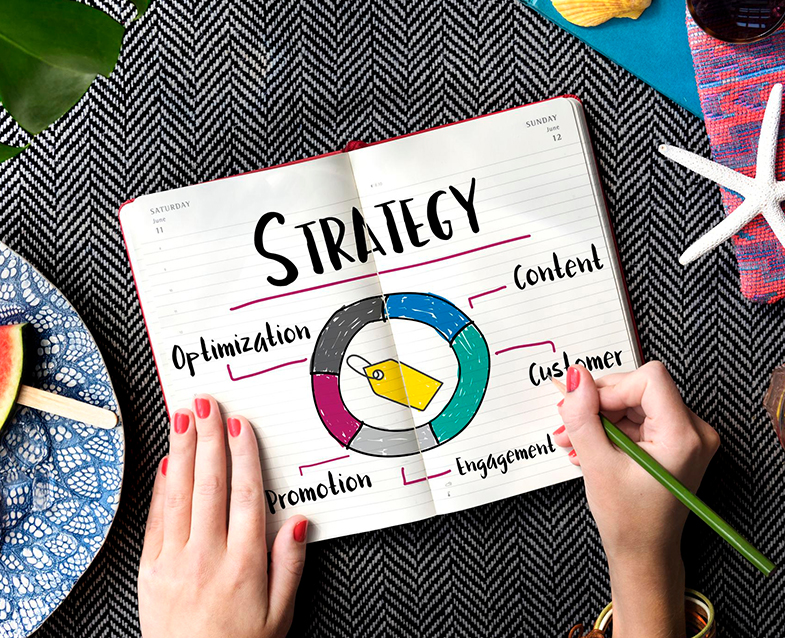
SEO vs SEM vs DSP Advertising

Comparing SEO, SEM, and DSP advertising shows distinct benefits for lead generation and marketing strategy, with each offering unique advantages in search engine optimization, paid search, and programmatic ad buying.…
YouTube Analytics and Audience Retention
15Dec

YouTube Analytics and Audience Retention

YouTube analytics and audience retention are key to understanding how viewers interact with your content. By measuring key moments and retention rates, you can improve viewer engagement and build a…
Social Media Analytics and Why Your Social Media Needs a Coach for Better Engagement
05Nov

Social Media Analytics and Why Your Social Media Needs a Coach for Better Engagement

Social media analytics and expert coaching are key to boosting your brand’s growth and engagement. Learn how professional social media coaches help you interpret data, refine strategies, and make well-informed…